What eBook Conversion Actually Means
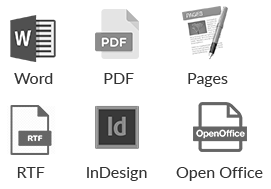
eBook conversion is a source-format-to-target-format process: take a manuscript in one container (Word DOCX, PDF, InDesign IDML, Scrivener, scanned page images) and emit a structured digital book in another (EPUB3 for most retailers, KFX for Kindle through KDP, MOBI for legacy devices, print-ready PDF for paperback). The work is mechanical in principle and forensic in practice — every source format encodes structure differently, and every target format demands its own semantic markup.
Conversion sits between two adjacent services that authors often confuse it with. eBook creation is the whole job: writing setup, styling decisions, metadata, cover integration, store packaging. eBook formatting is interior layout craft — typography, spacing, drop caps, chapter ornaments, image placement. Conversion is the technical step in between, where structured source becomes structured target without losing fidelity. Done well, the reader cannot tell a book was converted; done badly, the EPUB ships with broken hierarchies, orphaned footnotes, and tables collapsed into unreadable images.
Source formats and their pitfalls
- Word DOCX — cleanest source IF the document uses paragraph styles. Direct-formatted Word (manual bolding, hard returns for spacing, tab-indented paragraphs) produces messy EPUB with inline style spans on every line.
- PDF (text-based) — reflowing PDF text into EPUB loses layout intent. Footnotes detach from anchors, columns merge into one stream, tables fragment, and headers/footers leak into body text.
- PDF (scanned) — needs OCR first, then conversion. OCR error rate compounds across hundreds of pages and surfaces only during proofreading.
- InDesign IDML/INX — cleanest professional source. Preserves paragraph styles, character styles, hierarchies, and image links, all of which map cleanly to EPUB3 semantic tags.
- Pages, Scrivener — export to DOCX first; treat as Word source. Direct conversion from these containers is unreliable across tool versions.
- Plain text — needs structural markup added before conversion: chapter breaks, paragraph divisions, italic and bold ranges, scene separators, blockquotes.
Where automated converters fail
Calibre, Vellum, and Atticus handle clean Word-to-EPUB cases well and ship many books a day on the strength of that. They break on the same edges every time: PDF with embedded images mid-paragraph (image positioning is lost or images float to chapter ends), InDesign documents with custom fonts (substituted with generic fallbacks), tables of any complexity (frequently flattened to images or stripped to plain rows), footnotes (popup-conversion is fragile and often degrades to inline parentheticals), foreign-language scripts (Hebrew, Arabic, and complex CJK exhibit direction and ligature failures), and embedded equations (LaTeX and MathML support is inconsistent and frequently silent-fails). When the source is clean structured Word, automation suffices. When the source is anything else, manual rebuild in a code editor is faster than fighting the tool through ten round-trips.
The OCR step for scanned books
Scanned source — photographed pages, archival PDFs of out-of-print titles, photocopied manuscripts — needs OCR before any conversion can run. ABBYY FineReader is the gold standard at roughly $199 for the desktop edition and produces the most accurate output on multi-column and mixed-script pages. Tesseract, the open-source alternative maintained by Google, is free and capable on clean modern English text but slower and noticeably less accurate on multi-column layouts, footnoted academic pages, and pre-1950 typography. Per-page character error rate ranges from 0.5% on clean modern print to 5% or higher on Victorian editions, faded photocopies, or non-Latin scripts. The OCR pass is always followed by manual cleanup: typo correction, layout reflow, table reconstruction, and re-anchoring of footnotes that the OCR engine could not resolve to their referents.
Why Authors Choose Professional eBook Conversion
- Semantic EPUB3 output — properly tagged headings, navigation document, and landmarks pass EPUBCheck validation and behave correctly in screen readers and reflow on every device.
- Retailer compliance — Amazon KDP, Apple Books, Kobo, Google Play, and Barnes & Noble each have ingestion quirks. Converted files are tested against each store before delivery.
- Edge-case handling — tables, footnotes, equations, embedded media, RTL scripts, and image-heavy chapters survive conversion intact rather than degrading to placeholders.
- Source-aware decisions — PDF gets a different treatment than InDesign, scanned source gets a different treatment than DOCX. One workflow does not fit every input.
- Validation before delivery — every converted file is opened in Kindle Previewer, Apple Books, and Adobe Digital Editions to confirm rendering before the author receives it.
Conversion is one step in a larger workflow. After conversion, uploading to KDP is the validation layer. Image-heavy titles need fixed-layout EPUB instead of standard reflowable. For print companion editions, professional typesetting handles interior composition, and Apple Books formatting covers the iBookstore-specific quirks worth handling before upload.
Frequently Asked Questions About eBook Conversion
Can you convert a PDF to EPUB?
Yes, with caveats. Text-based PDFs convert with manual rebuilding of footnotes, tables, and column flow. Scanned PDFs require OCR first, which adds a proofreading pass to fix character recognition errors before the EPUB is structured.
Why does my Calibre output look broken?
Calibre faithfully translates whatever structure exists in the source. If the Word document uses direct formatting instead of paragraph styles, Calibre produces an EPUB with inline spans on every line, no semantic headings, and no working table of contents. The fix is restructuring the source, not reconfiguring Calibre.
What is the difference between EPUB3, KFX, and MOBI?
EPUB3 is the open standard accepted by Apple, Kobo, Google, and Barnes & Noble. KFX is Amazon’s proprietary format produced when KDP ingests an EPUB or DOCX. MOBI is the older Amazon format, deprecated for new uploads since 2022 but still readable on legacy Kindle devices.
Do you handle right-to-left languages and complex scripts?
Yes. Hebrew, Arabic, and Persian require RTL page progression directives in the EPUB OPF and proper Unicode handling throughout. CJK languages need vertical writing-mode declarations where appropriate. Automated converters frequently strip or mishandle these directives.
How long does conversion take?
A clean DOCX of a 60,000-word novel converts and validates in one to two business days. A scanned PDF of the same length, requiring OCR and cleanup, takes five to seven business days. InDesign IDML with images and footnotes is typically three business days. Complexity, not page count, drives the timeline.
Kindle Ebook Conversion Services
Kindle ebook conversion services are a narrower job than general file conversion. Amazon now accepts EPUB uploads, but KDP still converts that EPUB into Kindle’s internal format before readers see it. A clean Kindle conversion service checks the EPUB package, CSS, image compression, table of contents, metadata, and previewer warnings before the file reaches the KDP dashboard.
Authors comparing ebook conversion companies should ask what source files are accepted and what validation happens before delivery. Word DOCX, PDF, InDesign, Pages, and Scrivener exports each fail in different ways. The best ebook conversion services identify those source-file problems first, then deliver a retailer-tested EPUB that can also be adapted for Kobo, Apple Books, Google Play, and Nook.